Introduction to Metasploit
The Metasploit Project is a Ruby-based, modular
penetration testing platform that enables you to write, test, and
execute the exploit code. This exploit code can be custom-made by the
user or taken from a database containing the latest already discovered
and modularized exploits. The Metasploit Framework includes
a suite of tools that you can use to test security vulnerabilities,
enumerate networks, execute attacks, and evade detection. At its core,
the Metasploit Project is a collection of commonly used tools that provide a complete environment for penetration testing and exploit development.
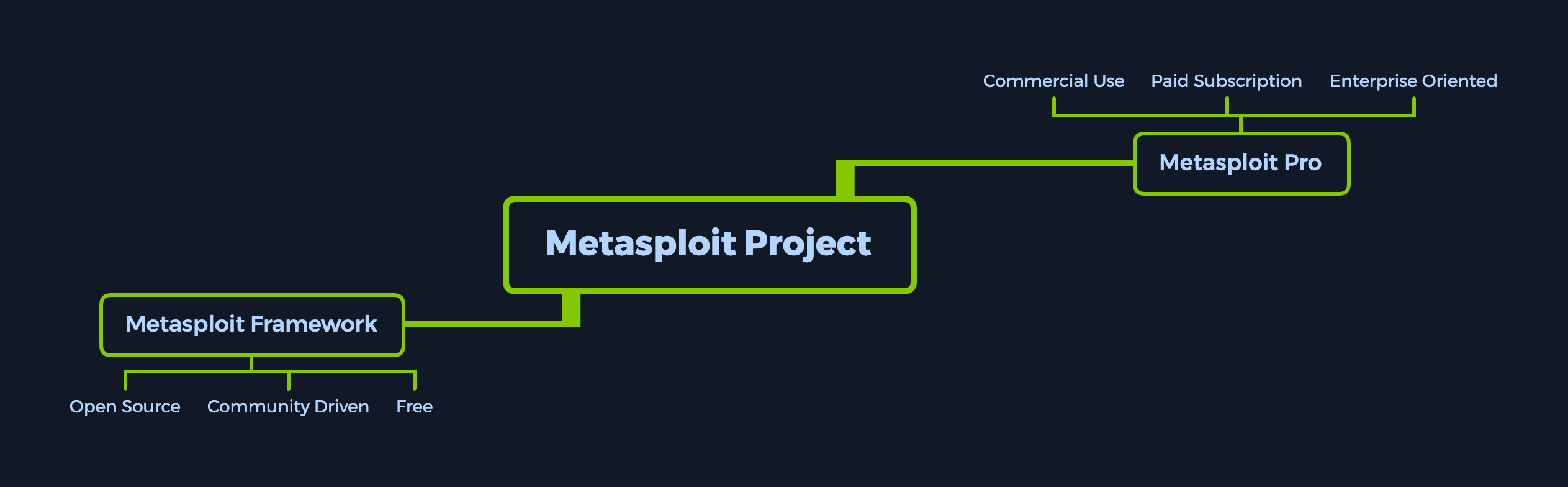
The modules mentioned are actual exploit
proof-of-concepts that have already been developed and tested in the
wild and integrated within the framework to provide pentesters with ease
of access to different attack vectors for different platforms and
services. Metasploit is not a jack of all trades but a swiss army knife
with just enough tools to get us through the most common unpatched
vulnerabilities.
Its strong suit is that it provides a plethora of available targets
and versions, all a few commands away from a successful foothold. These,
combined with an exploit tailor-made to those vulnerable versions and
with a payload that is sent after the exploit, which will give us actual
access into the system, provide us with an easy, automated way to
switch between target connections during our post-exploitation ventures.
Metasploit Pro
Metasploit as a product is split into two versions. The Metasploit Pro version is different from the Metasploit Framework one with some additional features:
- Task Chains
- Social Engineering
- Vulnerability Validations
- GUI
- Quick Start Wizards
- Nexpose Integration
If you're more of a command-line user and prefer the extra features, the Pro version also contains its own console, much like msfconsole.
To have a general idea of what Metasploit Pro's newest features can achieve, check out the list below:
| Infiltrate | Collect Data | Remediate |
| Manual Exploitation | Import and Scan Data | Bruteforce |
| Anti-virus Evasion | Discovery Scans | Task Chains |
| IPS/IDS Evasion | Meta-Modules | Exploitation Workflow |
| Proxy Pivot | Nexpose Scan Integration | Session Rerun |
| Post-Exploitation | Task Replay | |
| Session Clean-up | Project Sonar Integration | |
| Credentials Reuse | Session Management | |
| Social Engineering | Credential Management | |
| Payload Generator | Team Collaboration | |
| Quick Pen-testing | Web Interface | |
| VPN Pivoting | Backup and Restore | |
| Vulnerability Validation | Data Export | |
| Phishing Wizard | Evidence Collection | |
| Web App Testing | Reporting | |
| Persistent Sessions | Tagging Data |
Metasploit Framework Console
The msfconsole is probably the most popular interface to the Metasploit Framework (MSF). It provides an "all-in-one" centralized console and allows you efficient access to virtually all options available in the MSF. Msfconsole
may seem intimidating at first, but once you learn the syntax of the
commands, you will learn to appreciate the power of utilizing this
interface.
The features that msfconsole generally brings are the following:
- It is the only supported way to access most of the features within
Metasploit
- Provides a console-based interface to the
Framework
- Contains the most features and is the most stable
MSFinterface
- Full readline support, tabbing, and command completion
- Execution of external commands in
msfconsole
Both products mentioned above come with an extensive database of
available modules to use in our assessments. These, combined with the
use of external commands such as scanners, social engineering toolkits,
and payload generators, can turn our setup into a ready-to-strike
machine that will allow us to seamlessly control and manipulate
different vulnerabilities in the wild with the use of sessions and jobs
in the same way we would see tabs on an Internet browser.
The key term here is usability—user experience. The ease with which
we can control the console can improve our learning experience.
Therefore, let us delve into the specifics.
Understanding the Architecture
To fully operate whatever tool we are using, we must first look under
its hood. It is good practice, and it can offer us better insight into
what will be going on during our security assessments when that tool
comes into play. It is essential not to have
any wildcards that might leave you or your client exposed to data breaches.
By default, all the base files related to Metasploit Framework can be found under /usr/share/metasploit-framework in our ParrotOS Security distro.
Data, Documentation, Lib
These are the base files for the Framework. The Data and Lib are the
functioning parts of the msfconsole interface, while the Documentation
folder contains all the technical details about the project.
Modules
The Modules detailed above are split into separate categories in this
folder. We will go into detail about these in the next sections. They
are contained in the following folders:
Introduction to Metasploit
cancrazy@htb[/htb]$ ls /usr/share/metasploit-framework/modulesauxiliary encoders evasion exploits nops payloads post
Plugins
Plugins offer the pentester more flexibility when using the msfconsole
since they can easily be manually or automatically loaded as needed to
provide extra functionality and automation during our assessment.
Introduction to Metasploit
cancrazy@htb[/htb]$ ls /usr/share/metasploit-framework/plugins/aggregator.rb      ips_filter.rb  openvas.rb           sounds.rb
alias.rb           komand.rb      pcap_log.rb          sqlmap.rb
auto_add_route.rb  lab.rb         request.rb           thread.rb
beholder.rb        libnotify.rb   rssfeed.rb           token_adduser.rb
db_credcollect.rb  msfd.rb        sample.rb            token_hunter.rb
db_tracker.rb      msgrpc.rb      session_notifier.rb  wiki.rb
event_tester.rb    nessus.rb      session_tagger.rb    wmap.rb
ffautoregen.rb     nexpose.rb     socket_logger.rb
Scripts
Meterpreter functionality and other useful scripts.
Introduction to Metasploit
cancrazy@htb[/htb]$ ls /usr/share/metasploit-framework/scripts/meterpreter ps resource shell
Tools
Command-line utilities that can be called directly from the msfconsole menu.
Introduction to Metasploit
cancrazy@htb[/htb]$ ls /usr/share/metasploit-framework/tools/context  docs     hardware  modules   payloads
dev      exploit  memdump   password  recon